LinkedIn Integration – Overview
On this page, we provide full transparency on how the LinkedIn integration of our platform works, what permissions are used, what data is processed, and how users maintain control at all times.
This page remains permanently publicly visible and serves as the central source of information for both users and LinkedIn reviewers regarding our implementation.
1. Use Case
companycore ai enables registered users to create LinkedIn posts – either fully manually or with the assistance of brand-tuned AI that generates tailored post text and media suggestions based on information provided by the user.
Every post must be manually reviewed, confirmed, and scheduled with a date and time by the user.
Only after this active approval is the post automatically published on LinkedIn at the scheduled time via a secure scheduled process (cronjob).
No automatic publishing takes place without prior, explicit user confirmation.
- No automatic AI publishing
- No auto-posting without manual confirmation
- Posts are created exclusively through user interaction
- Tokens are securely stored and can be deleted at any time
2. Integration Screenshots
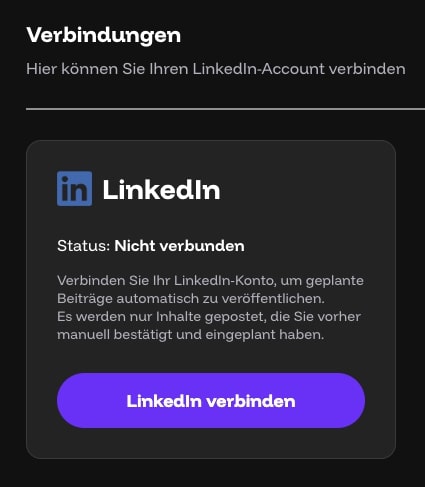
a) Connection Status – Not Connected
This is how the interface looks before a user connects LinkedIn:
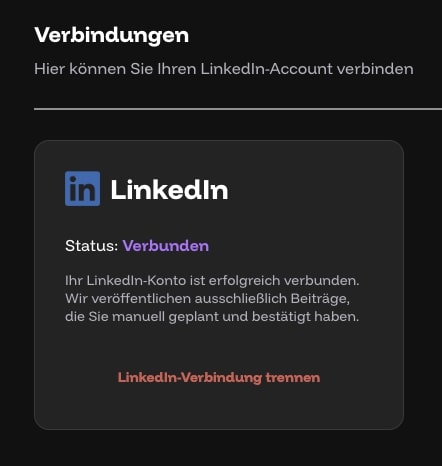
b) Connection Status – Connected
After successful OAuth authentication, the user sees this status:
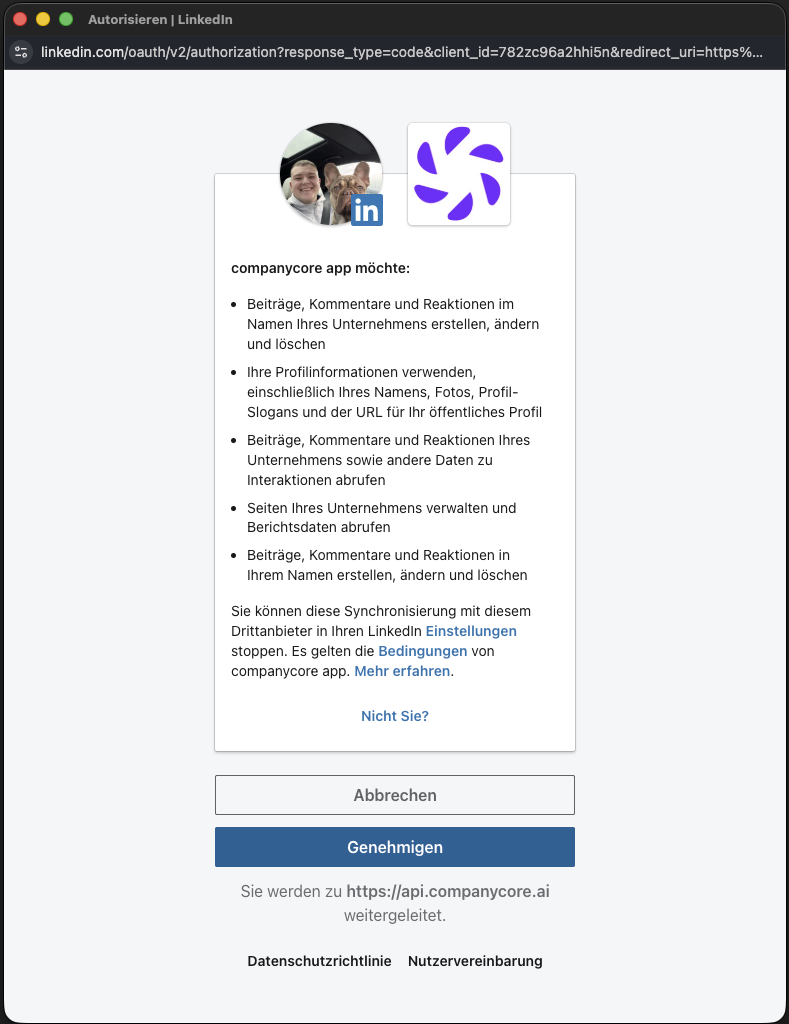
c) LinkedIn OAuth Dialog
When connecting, the official LinkedIn OAuth dialog opens, where the user can review and approve the requested permissions:
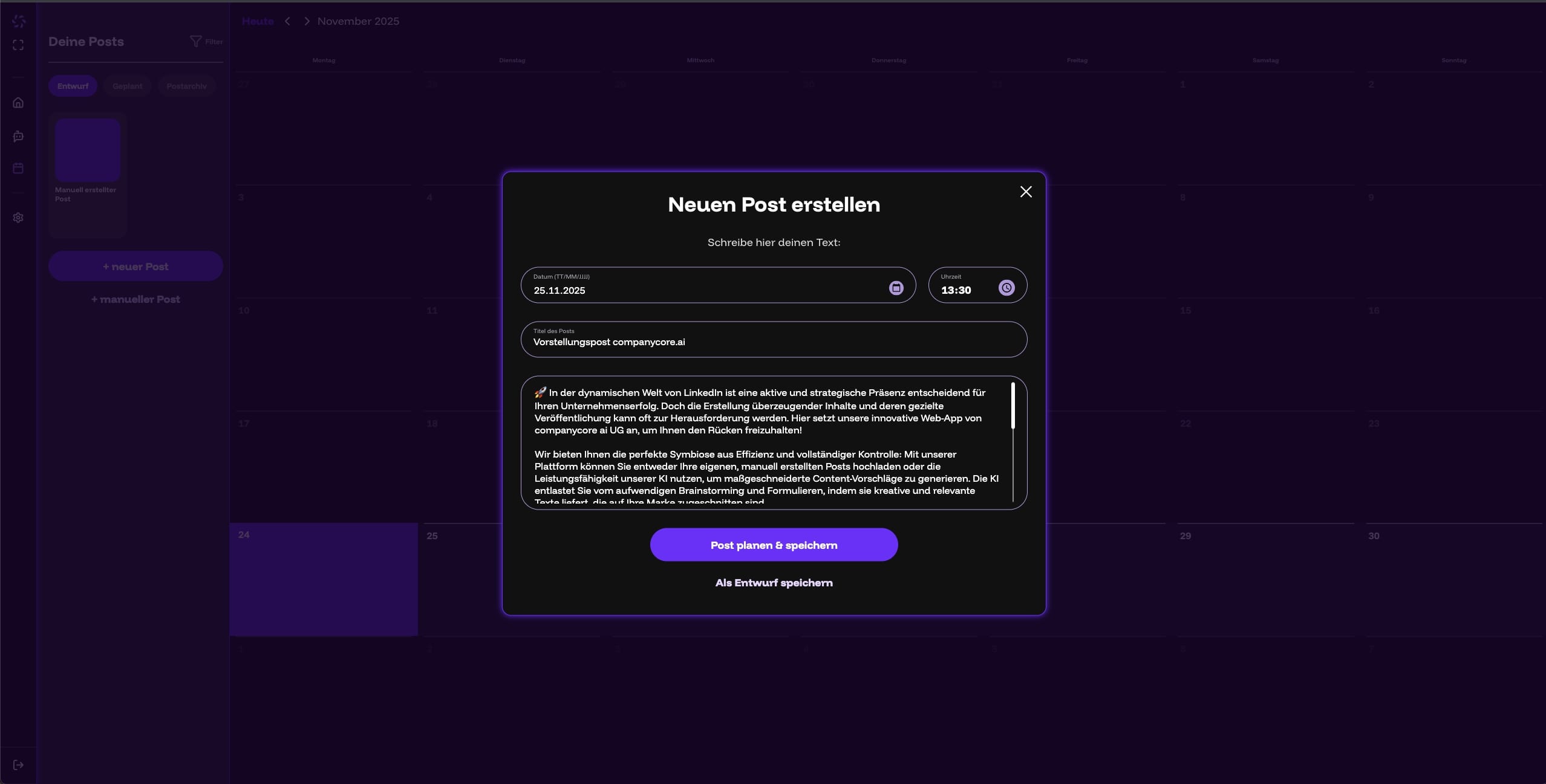
d) New Post – Before Scheduling
Users create posts through the editor interface. Only after active confirmation is the post added to the calendar.
e) A Scheduled Post in the Calendar
After confirmation, the post appears in the calendar and is queued for automatic publication:
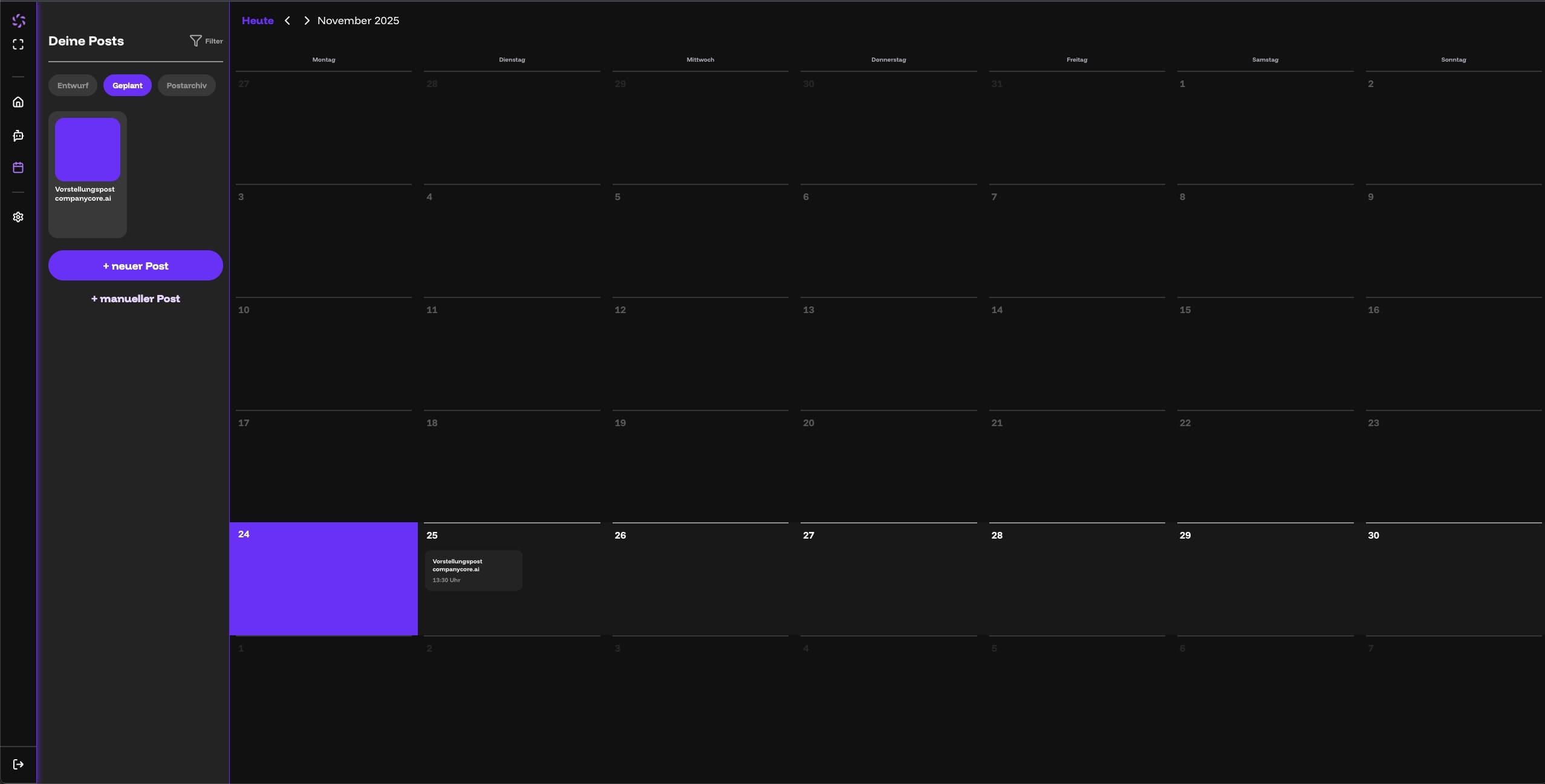
(These screenshots show the actual interface of the app.)
3. LinkedIn Permissions Used (Scopes)
- r_basicprofile – Retrieve LinkedIn user identity (name, profile URN)
- w_member_social – Publish posts on behalf of the user
- w_organization_social – Publish posts on behalf of an organization page
- rw_organization_admin – Verify administrator permissions on organization pages
- r_organization_social – Read organization posts and engagement data
4. Technical Publishing Flow
- The user creates the post through an AI-powered editor that generates text suggestions tailored to them. Alternatively, the user can write the entire text manually. The user reviews, edits, and fully confirms the post before it is saved.
- The user manually sets the date and time of publication or saves the post as a draft. Only an actively scheduled post will later be published automatically.
- The post appears in the calendar as "Scheduled".
- A secure cronjob triggers publication at the scheduled time exclusively for posts that were previously actively scheduled by the user.
- Only posts with valid user confirmation (manually scheduled) are published.
5. Processing & Storage of LinkedIn Data
We store exclusively:
- Access Token
- Refresh Token
- LinkedIn User ID (URN)
- Name of the LinkedIn user
- The IDs of organization pages for which the user has administrator permissions
We do not store any LinkedIn content such as:
- Posts
- Followers
- Contacts
- Comments
- Profile information
We only access LinkedIn data that is technically required for publishing posts.
Tokens are stored exclusively encrypted using AES-256-GCM.
The technical implementation follows LinkedIn requirements (application-level encryption + encrypted database).
All stored LinkedIn tokens can be deleted at any time by the user disconnecting their LinkedIn account. Upon disconnection, all tokens are immediately and permanently removed from our system.
6. Revoking & Deleting the Connection
Users can disconnect at any time via the "Disconnect LinkedIn" button
in the app.
All stored LinkedIn tokens and associated data are
immediately and permanently deleted.
This page is continuously updated and expanded as LinkedIn grants additional permissions or new features are activated. Any changes to permissions or processes are transparently documented here.